Best Practices

Multi-Site Facility Management with CMMS

Multi-site facility management with CMMS. Standardise operations across locations, benchmark performance, and maintain visibility from a central platform.

R

Rachel Tan

Customer Success Manager

June 20, 2023 15 min read
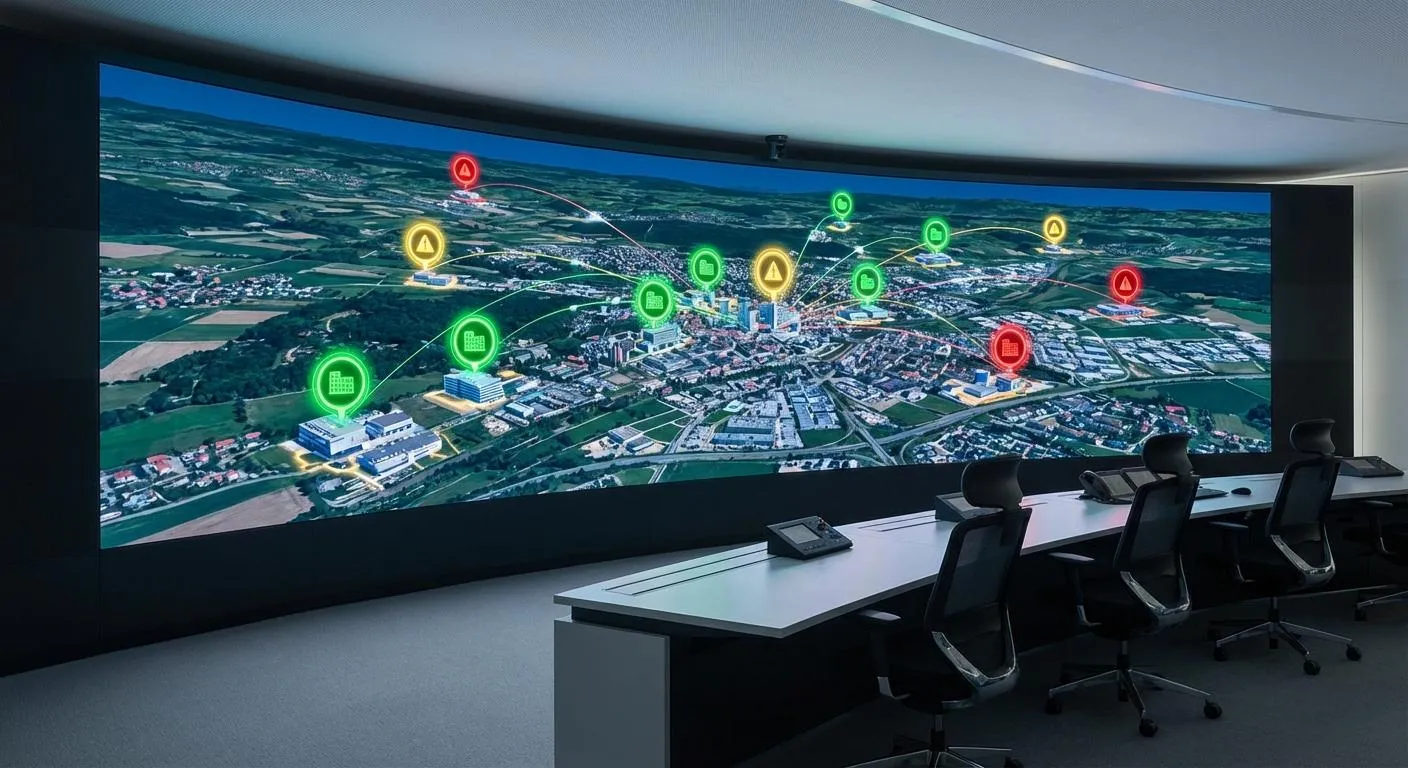
Facility manager reviewing multiple building dashboards showing centralized control across portfolio locations

Key Takeaways

  • Organizations with centralized maintenance management systems see a 28% reduction in maintenance costs and 20% increase in equipment uptime across sites
  • Standardize work order categories and priority definitions portfolio-wide while configuring location-specific SLA targets based on business impact
  • Multi-site operations require hybrid governance with locked categories centrally but local autonomy over PM schedules and technician assignments
  • Focus on comparative metrics across sites including response time, PM completion rates, and normalized cost per square foot rather than absolute numbers
  • Mobile CMMS with offline capability and navigation integration is essential for regional technicians covering multiple locations
  • Industry research shows consistent data collection and standardized processes are the top challenges facility managers face when scaling from single to multi-site operations

When I was managing operations for a retail chain with 47 locations spread across three states, I learned a hard lesson about multi-site facility management.

We had a CMMS. A solid one. But every store manager used it differently. Store number 12 classified everything as urgent. Store number 31 barely touched the system and kept a paper notebook. Store number 8 had created 47 custom work order categories that made no sense to anyone else.

The regional VP asked me for a simple metric: average response time across all stores. I could not produce one. The data existed, but it was so inconsistent that any number I gave would be meaningless.

That experience taught me something fundamental about multi-site facility management. It is not about finding the right software. It is about building systems and standards that work everywhere, enforced consistently, while still respecting that each location has its own operational reality.

The Multi-Site Challenge: What Industry Research Reveals

According to 2025-2026 facility management trend analysis, organizations managing multiple locations face structural challenges that do not exist in single-building operations.

The facility management sector is facing a shortage of skilled labor, with an estimated 1.5 million positions unfilled in the USA and predictions that by 2025, the industry might face a shortage reaching 53% of needed roles. Meanwhile, JLL Technologies’ State of Facilities Management Technology Report shows that 55.7% of facility managers surveyed expected an increase in work orders year over year, but limited budgets make timely facility maintenance and asset upgrades more difficult.

The four critical challenges that define multi-site operations:

The visibility problem. You cannot be everywhere. When you are responsible for 15 buildings across a metro area, you might visit each site once a month or less. How do you know what is actually happening on the ground?

The consistency problem. Every site develops its own culture, its own habits, its own way of doing things. Research from facility management standardization studies shows that maintaining consistency across all sites is the most common challenge, as each facility may have different operating procedures, equipment, and culture.

The resource allocation problem. With limited budget and technicians, how do you decide which sites get what? Without good data, you are guessing. And guessing means some buildings get over-resourced while others get neglected.

The accountability problem. When a site underperforms, is it the local team’s fault? A resource problem? A building that is just harder to maintain? Without consistent data collection, you cannot diagnose the root cause.

I have seen these problems sink multi-site operations that looked great on paper. Twenty locations, professional teams at each site, adequate budgets, and still, chaos. The missing ingredient was always the same: operational infrastructure that scaled.

Research-Backed Benefits of Centralized Management Systems

Multiple industry studies provide concrete data on the impact of proper multi-site maintenance management systems.

According to research on centralized versus decentralized maintenance structures, organizations with centralized maintenance management systems see a 28% reduction in maintenance costs and a 20% increase in equipment uptime across their portfolios.

The University of California system provides a real-world example. When they implemented a cloud-based IWMS to replace siloed and paper-based maintenance workflows, the result was a 25% improvement in issue resolution and enhanced campus-wide coordination.

The key finding from this research: centralization does not mean removing all local autonomy. It means standardizing the infrastructure that enables portfolio-wide visibility while preserving local operational control.

Building Your Multi-Site Foundation: Three Critical Decisions

Before you configure a single work order category or set up user permissions, you need to nail three foundational decisions backed by industry best practices.

Decision One: What Gets Standardized vs. What Stays Local

According to IFMA core competencies for facility management, facility managers must be able to align the facility portfolio and functionality with the organization’s missions and available resources. This requires knowing exactly what to standardize for portfolio alignment and what to keep flexible for local operations.

Not everything should be identical across sites. Forcing a warehouse to follow hotel guest room procedures makes no sense. But some things must be consistent everywhere, or your portfolio data falls apart.

Standardize these elements portfolio-wide:

Work order categories. If Site A calls it HVAC and Site B calls it Heating/Cooling and Site C calls it Climate Control, you cannot run a report on HVAC issues across the portfolio. Pick names and stick with them everywhere. This is the foundation of meaningful cross-site reporting.

Priority level definitions. Urgent must mean the same thing at every location. Write clear definitions: Urgent equals safety hazard or significant business impact requiring response within 2 hours. Post it everywhere. Train on it repeatedly. According to facility management research, inconsistent priority definitions are one of the top reasons multi-site reporting fails.

Status workflow. Open to In Progress to Completed. Or whatever stages you use. But the same stages at every site. No custom statuses that only exist in Building 7. Every workflow variation reduces your ability to compare site performance.

Asset naming conventions. AHU-01 at every building. Not Air Handler 1 at one site and Rooftop Unit A at another. Research on facility asset tracking shows this matters enormously when you are trying to analyze equipment performance across your portfolio and identify opportunities to consolidate on preferred equipment models.

Allow local flexibility for these operational elements:

SLA response times. A Class A office building needs faster response than a storage facility. Configure appropriate targets per location based on business impact and operating hours.

Technician assignments. Each site knows its people. Let local managers assign work orders to their teams based on skills, availability, and workload.

Operating hours. A 24/7 hospital and a 9-5 office building need different business hour configurations for SLA calculations. SLA timers should pause outside operating hours.

Site-specific equipment. The main categories stay standard, but each building will have unique assets. That is fine as long as you follow the naming conventions.

Decision Two: Centralized vs. Distributed Control

How much autonomy do site managers get? This is not just a management philosophy question. It affects how you configure your CMMS permissions and workflows.

According to extensive research on centralized versus decentralized maintenance models, the key differences are fundamental.

Centralized scheduling is defined by a single schedule being built and managed for an entire facility, almost always built by a single scheduling role despite the number of technicians and contractors on site. Meanwhile, decentralized scheduling is characterized by multiple schedulers for a single interlinked facility, where each is independent and manages their own backlogs, workload, and priorities.

A fundamental distinction: centralized maintenance naturally values schedules, while decentralized maintenance values priorities.

Centralized model characteristics:

  • Regional or corporate team creates all PM schedules
  • Work order categories managed centrally
  • Site managers execute but do not configure
  • Best for franchises, highly regulated industries, organizations with inconsistent local capability

Distributed model characteristics:

  • Site managers own their maintenance programs
  • Local teams create and modify PM schedules
  • Central oversight through reporting, not approval workflows
  • Best for professional site managers, properties with unique requirements, organizations that trust their local teams

Hybrid model delivers best outcomes:

Industry research consistently points to hybrid approaches as most effective. Central headquarters manages strategy, systems, and procurement. Local teams handle daily operations, inspections, and emergency maintenance.

In practice, this means:

  • Standard PM templates created centrally, deployed to all sites
  • Site managers can create additional site-specific PMs
  • Category and priority structures locked at corporate level
  • SLA configuration allowed per site within defined parameters
  • Best for most multi-site operations from 10 to 500 locations

I have seen organizations tie themselves in knots trying to centralize everything. It sounds good in theory, but it creates bottlenecks. Every PM schedule change needs corporate approval. Every new asset type needs to be added to the master list. Local teams get frustrated and work around the system.

The opposite extreme is not better. Total local autonomy leads back to the chaos I described at the start. Every site becomes an island, and portfolio-level insights become impossible.

Download the Full Report

Get the complete State of Maintenance 2026 report with all benchmark data and implementation frameworks.

Download Free Report

See It In Action

Ready to join the facilities teams achieving 75% less unplanned downtime? Start your free 30-day trial.

Start Free Trial

Decision Three: How You’ll Measure Success

Research from IFMA best practices emphasizes that real estate portfolio management requires systematic approaches to assess, acquire, and manage the life cycle of the organization’s real estate portfolio. This starts with defining what success looks like.

Define your KPIs before you start configuring the system. This seems backward, but if you do not know what you are measuring, you will not collect the right data.

Portfolio-level KPIs backed by research:

  • Average response time by site for comparative analysis
  • PM completion rate by site showing which locations maintain discipline
  • Cost per square foot by building for normalized comparisons
  • Emergency versus planned work ratio by site indicating reactive versus proactive management
  • Open work order aging by site revealing backlog issues

Notice how everything is comparative by site? That is the point. Multi-site management is fundamentally about comparison. If you are not comparing sites to each other, you are just running single-site operations multiple times.

According to facility management industry analysis, standardizing KPIs across sites has emerged as a critical priority for facility management organizations. Research from IFMA, JLL, CBRE, Deloitte and leading facilities management groups highlights standardization as a key trend shaping the industry.

Site-level KPIs for local operational management:

  • Total work orders showing volume trends
  • First-time fix rate indicating technician effectiveness
  • Requester satisfaction measuring customer experience
  • Vendor spend tracking external costs
  • Asset uptime for critical equipment

Site managers should track these for their own buildings. Roll-ups to portfolio level for these metrics are less meaningful because they lose the local context.

Multi-Site CMMS Feature Requirements: What Industry Leaders Use

Not all CMMS platforms handle multi-site management equally well. According to analysis of top CMMS software for multi-site enterprises and multi-site CMMS platform comparisons, here is what to look for when evaluating systems for portfolio operations.

Essential Capabilities for Multi-Site Operations

Research on non-negotiable CMMS features for multi-site operations identifies these critical requirements:

Work Order Management. Centralizes task creation, assignment, and progress tracking to streamline maintenance operations across all locations with consistent categories and workflows.

Mobile Accessibility. Enables service technicians to receive updates and close work orders in real-time, even across multiple locations. According to industry best practices, mobile offline capability is essential for regional technicians working in buildings with poor connectivity.

Centralized Visibility and Control. Gain a unified view of assets, work orders, and inventory across all sites. Portfolio-wide dashboards with site-level drill-down give you the 30,000-foot view while preserving local accountability.

Standardized Processes and Compliance. Enforce consistent preventive maintenance schedules, safety protocols, and workflows everywhere. Research on facility management compliance shows this is critical for organizations operating across multiple regulatory jurisdictions.

Role-Based Access and Permissions. Multi-site scalability offers role-based access and centralized control across all your facilities. Site managers see only their locations, regional managers see their territories, and executives see the entire portfolio.

Multi-Site CMMS Feature Comparison Framework

Based on industry analysis and implementation research, here is how different CMMS tiers handle multi-site requirements:

Feature CategoryBasic CMMSStandard Multi-SiteEnterprise Multi-Site
Location Hierarchy Depth1-2 levels maximum3-4 levels supportedUnlimited hierarchy with Region, Property, Building, Floor, Room
Site-Specific SLA ConfigurationGlobal only, same everywherePer location with different targetsPer location plus asset type for granular control
Portfolio-Wide DashboardLimited aggregationBasic site comparisonsAdvanced analytics with drill-down capability
Cross-Site ReportingManual export and mergeAutomated comparisons by siteScheduled reports with alerts and benchmarking
Role-Based Location AccessAll-or-nothing permissionsSite-level permission boundariesGranular role templates with inheritance
PM Template DistributionManual setup per siteClone templates to multiple sitesPush updates to all sites from central library
Standardized CategoriesSite managers can editCentrally managed with controlsLocked categories plus custom field flexibility
Mobile Offline ModeRequires constant connectionBasic offline accessFull offline capability with automatic sync
Cost NormalizationManual calculation requiredBuilt-in per square foot metricsCustom normalization by occupancy, revenue, or other factors
Vendor ManagementPer-site vendor listsShared vendor databaseEnterprise agreements with multi-site pricing

According to CMMS implementation best practices research, organizations should select systems based on current needs plus two-year growth projections. Migration between CMMS platforms is painful, so getting it right the first time matters.

For organizations managing 1-3 simple sites, basic CMMS capabilities may suffice. Five to 25 locations typically require standard multi-site features. Portfolios of 25 or more sites, or complex multi-tier hierarchies, need enterprise-level capabilities.

Configuring Your CMMS for Multi-Site Success

Now for the practical implementation. Here is how to set up a CMMS platform that actually works across multiple locations based on industry deployment strategies.

Location Hierarchy Design

According to research on expanding CMMS to multiple locations, structure your locations logically with this proven hierarchy:

Portfolio or Region Level
└── Property or Site
    └── Building if multiple per property
        └── Floor or Area
            └── Room or Space for specific equipment

Do not go too deep. I have seen organizations create 8-level hierarchies that nobody uses correctly. Three or four levels usually works. You can always add detail later if needed.

Include address and geographic coordinates in your location records. This enables map-based views and helps with technician routing, particularly for regional staff covering multiple sites.

User Permissions and Role Structure

Multi-site permissions are where most CMMS implementations get complicated. Keep it simple with role-based access that matches your organizational structure.

Portfolio or Regional Manager:

  • View all sites in their territory
  • Access all reports and dashboards
  • Configure standards including categories and priorities
  • Cannot create work orders because too removed from operations

Site Manager:

  • Full access to assigned site or sites
  • Create and edit work orders and PM schedules
  • Manage local technicians and assignments
  • Run site-level reports and analytics
  • Configure site-specific SLAs within parameters set by corporate

Technician:

  • View assigned work orders only
  • Update status and add notes or photos
  • Cannot delete work orders or reassign to others
  • Mobile app access with offline capability

Requester such as tenant, occupant, or employee:

  • Submit maintenance requests for their location
  • View own request status and history
  • Cannot access anyone else’s data or other locations

Start with these four roles. You can add nuance later if needed, but most multi-site operations from 10 to 100 sites run fine with this structure.

SLA Configuration Per Location

This is where location-specific requirements live. Same categories, same priorities, but different response and resolution targets based on business impact.

According to facility management best practices, SLA targets should reflect operational context rather than being uniform portfolio-wide.

Example: Urgent HVAC issue across three site types

Site TypeResponse TargetResolution TargetBusiness Justification
Class A Office Building30 minutes4 hoursTenant satisfaction, lease requirements
Retail Store1 hourSame dayCustomer experience impact
Warehouse4 hours24 hoursMinimal occupant impact

The priority level and category are standardized portfolio-wide. The SLA targets reflect business impact at each location type.

Configure business hours per site as well. SLA timers should pause outside operating hours. A request submitted at 5 PM Friday at a 9-5 office should not show as 60 hours old on Monday morning. It is only 1 business hour old.

For more details on implementing effective SLA programs, see our guide on SLA management for facility teams.

Notification Routing That Scales

Multi-site operations need smart notification routing so the right people know about issues without drowning everyone in alerts.

Site-level notifications:

  • New work orders go to site manager and assigned technician
  • SLA warnings go to site manager before breach occurs
  • Emergency requests go to site manager plus on-call technician via SMS

Portfolio-level notifications:

  • SLA breaches go to regional manager for visibility
  • Daily digest of open emergencies goes to regional manager each morning
  • Weekly summary reports go to portfolio leadership

Resist the urge to copy regional managers on everything. They will start ignoring notifications, and then they will miss the ones that actually matter.

Reporting Structure for Multi-Site Insights

Build reports that answer the questions leadership actually asks. According to research on CMMS data analytics and reporting, facility management organizations are increasingly focused on data-driven decision making.

Executive summary delivered weekly or monthly:

  • Total work orders by site in table format
  • PM completion rate by site with red, yellow, green indicators
  • Average response time trend line chart showing all sites
  • Top 5 sites by open work order count
  • Cost summary by site normalized per square foot

Keep it to one page. Executives do not want to scroll through multi-page reports.

Operational reports delivered weekly:

  • Open work orders by site and age buckets
  • Upcoming PM work for next two weeks by location
  • SLA performance by site and category
  • Technician workload balance across the portfolio

Drill-down reports available on demand:

  • Single-site detailed view for deep dives
  • Single-asset maintenance history
  • Vendor performance analysis by site or portfolio-wide
  • Cost breakdown by category and location

The key insight from industry research: most reporting should facilitate comparison between sites. If a report does not help you compare performance, question whether you need it.

For comprehensive guidance on building effective facility analytics, see our guide on CMMS data analytics and reporting.

Start Free Trial

Experience the full platform with 30-day free access. No credit card required.

Start Free Trial

Book a Demo

Get a personalized walkthrough from our team. See how Infodeck fits your operation.

Schedule Demo

Managing Regional and Traveling Technicians

Not every site justifies dedicated maintenance staff. Many multi-site operations use shared technicians who cover multiple locations, particularly in portfolios with 10 to 50 buildings.

Coverage Models That Work

According to research on multi-site maintenance management, three proven models exist for technician deployment.

Zone-based assignment model:

Divide your portfolio into geographic zones. Assign technicians to zones, not individual buildings. A technician might cover all sites in the northeast region of a city.

Works well when sites are geographically clustered and travel time between sites is predictable. Reduces windshield time compared to dispatching from a central location.

Skill-based dispatch model:

Match technicians to work orders based on required skills, then factor in location. An HVAC specialist might travel across the portfolio for HVAC work while general maintenance stays local.

Works well when specialized work is distributed across sites and you have technicians with distinct skill sets. Maximizes expertise but increases travel costs.

Tiered response model:

Site staff handle routine issues. Regional specialists handle complex work. Emergency contractors cover after-hours and overflow capacity.

Works well when sites have basic maintenance capability but need backup for specialized or high-volume situations. Balances cost control with coverage needs.

Most organizations with 20 or more sites use hybrid approaches. Dedicated staff at high-volume locations. Shared resources for smaller sites. Specialists who travel portfolio-wide.

Mobile CMMS Requirements for Traveling Technicians

Technicians who work across multiple sites absolutely need mobile access. They cannot stop at an office between jobs to check assignments or log completions.

According to research on mobile CMMS applications, essential features for multi-site technicians include:

  • Push notifications for new assignments with priority indicators
  • Navigation integration so they can tap address and open maps
  • Offline mode because not every building has great cell coverage
  • Site-specific information including access codes, parking instructions, contact info
  • Photo documentation capability for before and after every job
  • Time logging per work order for accurate cost tracking

Make their lives easier by including practical details in location records. Where should they park? Who do they check in with? What is the door code? Is there a loading dock? Technicians waste enormous time figuring this out on their own. Put it in the system once, and everyone benefits forever.

For more on implementing mobile solutions, see our complete guide on mobile CMMS apps for technicians.

Remote Monitoring and IoT Integration for Multi-Site Operations

According to 2025-2026 facility management technology trends, IoT-driven dynamic pricing, environmental compliance, and smart building integration are among the top strategic imperatives impacting facility management growth.

For multi-site portfolios, remote monitoring provides visibility that is impossible to achieve through manual site visits alone.

Key benefits for multi-site operations:

  • Continuous monitoring of critical systems across all locations without requiring technician presence
  • Automated alerts when parameters exceed thresholds, enabling proactive response
  • Trend analysis comparing equipment performance across sites to identify systemic issues
  • Energy usage tracking portfolio-wide to identify efficiency opportunities

Organizations managing 15 or more sites should evaluate IoT integration as part of their CMMS strategy. The ability to monitor HVAC, electrical, water, and other systems remotely reduces the need for routine inspection visits while improving response time for actual issues.

For detailed implementation strategies, see our guide on remote facility monitoring with CMMS.

Site Visits and Audit Procedures

Regional managers need to visit sites regularly. CMMS data helps, but according to facility management best practices, there is no substitute for walking the building.

Pre-Visit Preparation Using CMMS Data

Before you drive to a site, review in your CMMS:

  • Open work orders, especially anything aging beyond SLA targets
  • Recent SLA breaches to understand recurring issues
  • PM completion for the past 90 days to verify compliance
  • Top recurring issues that might indicate systemic problems
  • Vendor activity and costs compared to other sites

Walk in knowing what questions to ask. “I see we have had three elevator issues this month, what is going on there?” is a better conversation starter than “How is everything going?”

During the Visit: Using Mobile CMMS

Use your mobile CMMS to:

  • Scan QR codes on assets and review maintenance history on the spot
  • Create work orders immediately for issues you observe
  • Verify PM completion by checking the equipment, not just the checkbox in the system
  • Take photos documenting conditions and attach to location records

I used to carry a clipboard on site visits. Now I carry my phone. Everything goes directly into the system, tagged to the right location and asset. No transcription later, no lost notes.

Post-Visit Follow-Up and Accountability

After every site visit, I recommend a brief summary documented in the system:

  • Issues identified with photos
  • Work orders created during the visit
  • Commitments made by site manager
  • Follow-up items with specific dates

This creates accountability. When you visit the same site three months later, you can review what you discussed last time. Did things improve? Were commitments kept? This documentation provides continuity even if staff changes.

Industry-Specific Multi-Site Applications

Different industries have unique multi-site requirements based on their operational models and regulatory environments.

Commercial Real Estate Portfolio Management

According to industry research, commercial real estate portfolios face specific challenges including tenant expectations, lease requirements, and property value preservation across diverse building types.

Key requirements include tenant portal access for service requests, lease compliance tracking with audit trails, cost allocation by tenant or suite, and comparative property performance metrics.

For comprehensive strategies, see our guide on CMMS for commercial real estate management.

Property Management and Multi-Family Housing

Property management organizations typically manage dozens or hundreds of buildings with different ownership structures, making standardization critical but challenging.

According to facility management research, successful property management operations require unit-level asset tracking, resident request portals, vendor management across properties, and emergency response protocols that scale.

For detailed implementation guidance, see our guide on property management maintenance software.

Retail and Restaurant Chains

Retail operations face unique challenges with customer-facing equipment, extended operating hours, and franchise versus corporate-owned locations.

Critical capabilities include store-level dashboards for managers, 24/7 emergency response protocols, vendor management for national service providers, and equipment standardization across locations to reduce parts inventory.

Healthcare and Hospital Systems

Healthcare facilities have the most stringent regulatory requirements of any industry, with Joint Commission standards, CMS compliance, and life safety system requirements.

Multi-site healthcare systems need comprehensive audit trails, regulatory compliance tracking, medical equipment maintenance with FDA requirements, and emergency power system testing documentation.

Scaling Multi-Site Operations: From 3 Sites to 300

Multi-site operations look fundamentally different at different scales. What works for a small portfolio breaks down as you grow.

Portfolio of 3 to 10 Sites

At this scale, one person can reasonably know what is happening everywhere. You might visit each site weekly or biweekly. Personal relationships with every site manager provide informal coordination.

Focus on: Building good habits and consistent processes now. This is your foundation. Do not skip standardization because “we are small enough to manage without it.” You will regret that later when you scale to 20 sites.

Portfolio of 10 to 50 Sites

You cannot be everywhere anymore. Regional managers or area supervisors become necessary. Data-driven management becomes essential because you need reports to tell you things you cannot observe directly.

Focus on: Delegation with accountability. Clear KPIs that site managers own. Exception-based management where you only escalate what is off-track. Regular review rhythms, typically weekly operations calls and monthly business reviews.

Portfolio of 50 Plus Sites

This is enterprise territory. You probably have multiple levels of management, specialized teams, and significant infrastructure. According to facility management scaling research, small inefficiencies multiply into big problems at this scale.

Focus on: Automation, integration, and standardization enforcement. Automated work order routing rules. Automated PM scheduling based on meter readings or calendar triggers. Integration with financial systems for accrual accounting. Strict governance over system configuration with formal change management.

The transition points are tricky. What got you to 10 sites will not get you to 50. Be willing to change processes as you scale, even if the old way worked fine before.

Common Multi-Site Mistakes and How to Avoid Them

I have seen these mistakes enough times across different industries to call them out explicitly.

Mistake One: Inconsistent Data Entry

One site enters detailed descriptions with photos. Another enters “fix thing” with no context. One site attaches documentation to every work order. Another never does.

According to research on facility management challenges, inconsistent data entry is the number one reason multi-site reporting fails to deliver value.

The fix: Training and enforcement. Make expectations clear with specific examples. Audit compliance monthly. Reject incomplete work orders and send them back. Yes, really. It is the only way people take data quality seriously.

Mistake Two: Ignoring Local Context

“Site 7 has terrible response times!” Maybe. Or maybe Site 7 is a 50-year-old building with ancient equipment and half the staff of comparable sites. Context matters enormously when comparing performance.

The fix: Normalize your comparisons. Cost per square foot, not total cost. Response time relative to SLA target, not absolute hours. Account for building age, staffing levels, and complexity when evaluating site performance.

Mistake Three: Too Many Custom Configurations

Every site manager wants “just one small customization” to make their job easier. Multiply that by 30 sites and you have a mess that nobody can maintain.

According to facility management governance research, configuration drift is a significant problem in mature multi-site operations.

The fix: Formal governance process. A clear procedure for requesting configuration changes. Someone with authority to say no and explain why. Annual reviews to clean up accumulated customization.

Mistake Four: Reporting for Reporting’s Sake

Dashboards with 47 metrics. Weekly reports nobody reads. Data everywhere, insight nowhere. This is performance theater, not performance management.

The fix: Start with questions, not data. “What do I need to know to run this portfolio effectively?” Usually that is 5 to 7 key metrics. Build reports that answer specific questions, not reports that show everything possible.

Implementation Strategy: How to Deploy Multi-Site CMMS

According to research on CMMS deployment strategies for multiple locations, successful multi-site implementation requires careful planning across all locations.

Planning and Preparation Phase

Develop a detailed list of each user group including managers, technicians, administrators, support personnel, and IT staff with documentation of how they will use the system. Additionally, identify who will be in charge of what at each location with clear accountability.

Critical planning activities:

  • Document current processes at 2 to 3 representative sites to identify variations
  • Define standard categories, priorities, and workflows that will apply everywhere
  • Create site hierarchy structure in the system before adding detailed data
  • Design permission structure and role templates
  • Develop training materials specific to each user type

Pilot Implementation at Primary Location

Go through the implementation process at a primary location first to identify problems and get them worked out before going live with your new CMMS software at additional sites.

The pilot phase typically runs 60 to 90 days and should include:

  • Full system configuration with all features enabled
  • Comprehensive user training for all roles
  • Migration of historical data for meaningful reporting
  • Parallel operation with old system if replacing existing CMMS
  • Documentation of lessons learned and configuration adjustments

Phased Rollout to Additional Sites

Take your implementation plan from your primary site and repeat for each site, incorporating lessons learned and refining the process.

According to implementation research, most organizations follow one of three rollout approaches:

Geographic phased rollout. Complete one region before starting the next. Works well for portfolios with regional management structure.

Site type phased rollout. Complete all retail stores, then all warehouses, then all offices. Works well when site types have distinct requirements.

Rapid parallel rollout. Deploy to all sites simultaneously. Works well for smaller portfolios with 5 to 15 highly standardized sites.

Critical success factor from research: The number one reason CMMS implementations do not work is that senior executives fail to lead. Executives must adopt the CMMS as a corporate-level initiative, dedicate significant time and energy, motivate stakeholders, and keep everyone on track.

The Bottom Line: Multi-Site Success Requires Infrastructure

Multi-site facility management is a different discipline than single-site operations. The challenges are structural, not just scalar. You cannot just do single-site management more times and expect it to work.

Research from multiple industry sources consistently shows that success comes from building infrastructure that scales: standardized processes, consistent data collection, location-appropriate configurations, and reporting that enables comparison.

Organizations with centralized maintenance management systems see a 28% reduction in maintenance costs and a 20% increase in equipment uptime. But centralization does not mean removing all local autonomy. It means standardizing the things that enable portfolio-wide visibility while preserving local operational control where it adds value.

The University of California system achieved a 25% improvement in issue resolution by replacing siloed workflows with a unified cloud-based system. That improvement came from infrastructure, not from working harder or hiring more staff.

Get the foundation right with proper standardization and governance, and managing 50 sites becomes easier than managing 5 sites used to be. Get it wrong, and every additional site adds chaos instead of capability.

Managing a portfolio of properties across multiple locations? Book a demo to see how Infodeck helps multi-site facility teams maintain consistency across locations while enabling site-specific configurations, regional oversight, and portfolio-wide reporting that drives better decisions.

Frequently Asked Questions

What are the biggest challenges in managing maintenance across multiple locations?
Based on 2025-2026 facility management research, the top challenges include workforce shortages affecting 53% of positions by 2025, inconsistent data entry across sites making portfolio reporting impossible, budget constraints despite work orders increasing 55.7% year-over-year, and regulatory compliance complexity across multiple jurisdictions. Additionally, 25% of multi-site operations struggle with technology integration issues and lack standardized processes to enable meaningful site-to-site comparisons.
Should maintenance management be centralized or decentralized for multi-site operations?
Research from multiple facility management sources indicates hybrid models deliver the best outcomes. Organizations with centralized maintenance management systems see 28% lower maintenance costs and 20% better uptime. However, pure centralization creates bottlenecks. The optimal approach combines centralized control of standards, categories, and procurement with decentralized execution where site managers handle daily operations and PM scheduling. This balances consistency with local expertise and faster response times.
How do you standardize processes across sites with different building types?
Standardize what enables portfolio reporting while allowing flexibility for business context. Lock down work order categories, priority definitions, status workflows, and asset naming conventions at the corporate level. Configure location-specific SLA response times based on business impact such as a Class A office building needing 30-minute HVAC response versus 4 hours for a warehouse. According to IFMA best practices, this portfolio alignment approach ensures consistent data collection while respecting that each facility has unique operational requirements.
What CMMS features matter most for multi-site facility management?
Essential capabilities include unlimited location hierarchy depth, site-specific SLA configuration, portfolio-wide dashboards with drill-down to individual locations, cross-site reporting with automated comparisons, role-based location access controls, PM template distribution to push updates across all sites, centrally managed categories that prevent site-level modifications, mobile offline mode for technicians working across facilities, and cost normalization per square foot. According to industry analysis, organizations managing 25 or more sites need enterprise features including scheduled reports and granular role templates.
How should technician coverage work across multiple facilities?
Three proven models exist. Zone-based assignment divides portfolios geographically with technicians covering all sites in a region, working well for clustered properties. Skill-based dispatch matches specialized technicians to work orders portfolio-wide while keeping general maintenance local. Tiered response uses site staff for routine issues and regional specialists for complex work. Research shows most organizations with 10-50 sites use hybrid approaches with dedicated staff at high-volume locations and shared resources for smaller sites, requiring mobile CMMS with navigation integration and offline capabilities.
What reports and KPIs drive effective multi-site facility management?
Focus on comparative metrics rather than absolute numbers. Portfolio-level KPIs should include average response time by site, PM completion rate comparisons across locations, normalized cost per square foot, emergency versus planned work ratios by building, and open work order aging by site. According to facility management best practices, multi-site management is fundamentally about comparison. If your reports don't facilitate identifying which sites outperform or underperform relative to the portfolio average, you're collecting data without generating actionable insights.
Tags: multi-site management facility management CMMS portfolio management property operations
R

Written by

Rachel Tan

Customer Success Manager

View all posts

Ready to Transform Your Maintenance Operations?

Join facilities teams achieving 75% less unplanned downtime. Start your free trial today.